
Published Last updated
A Google Business Profile audit you can run yourself
A fifteen-minute triage, 42 checks to mark pass, fix or unknown, and a one-page report you can copy.

Founder, ProveWorth
Key Takeaways
- 1Run the audit in two passes. Spend fifteen minutes on triage, write down the three fixes that matter most, then use the full checklist.
- 2Mark every check Pass, Fix, Unknown or N/A. Keep the counts separate and never combine them into one score.
- 3A broken phone number or quote button outweighs a pile of passing cosmetic checks. Check the lead path first.
- 4Compare yourself with three real peers in your service and area, and write down why each one is comparable.
- 5Public evidence can't show revenue, ownership, conversion rate or verification status. Mark those Unknown until you have account access.
Audit your own Google Business Profile in two passes. Spend fifteen minutes on identity, contact paths, accuracy and trust, then write down the three fixes that matter most. After that, work through the 42 checks below and mark each one pass, fix or unknown.
The checks find real problems, and they don't add up to a score. Twenty passing cosmetic checks don't cancel one broken quote button.
What do I check in the first fifteen minutes?
Do these five things in order. The fifteen minutes covers the triage only. The full audit takes longer.
- Find the right business. Write down your profile URL, your website and the area you actually serve.
- Test the contact paths. Click the website link. Call the number from your own phone. Look for facts that disagree between the profile and the site.
- Look for eligibility and privacy risks. A home address on display for a service-area business is one example.
- Read it as a customer. Can a stranger tell what you do, where you go and why to trust you?
- Write the top three fixes. Add a short list of questions you can't answer without account access.
Stop the quick pass early if identity, eligibility or access is unclear. Guessing there causes bigger problems than a short list.
What do Pass, Fix, Unknown and N/A mean?
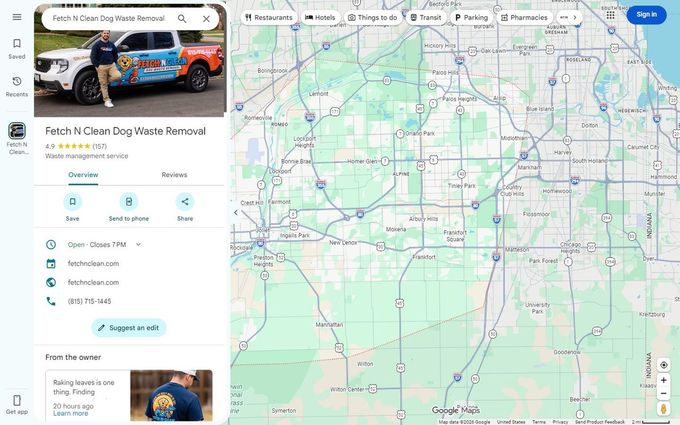
Every check gets exactly one status. Mixing them up is how audits turn into guesswork.
| Status | What it means |
|---|---|
| Pass | The evidence supports the check. |
| Fix | You found a specific, verified problem. |
| Unknown | You're missing evidence or access. |
| N/A | The check doesn't apply to your business. Write down why. |
Give each Fix a priority. Urgent means a safety or privacy issue, a serious misrepresentation, or a blocked lead path. Next means a meaningful accuracy, customer or measurement improvement. Later means a useful change with lower consequences.
Report the four counts separately. Don't turn them into a percentage. A missing field isn't automatically a defect, either.
What are the 42 checks?
Seven groups of six. Give each check one status. "Anyone" means the public listing or your site is enough. "You" means it takes your sign-in, or facts only you know.
Identity and eligibility (checks 1 to 6)
| Check | What good looks like | Who can check |
|---|---|---|
| 1. Real-world name | Compare the profile name with your truck, invoices and signs. Flag any keyword or city that isn't part of the real name. | Anyone, then you |
| 2. Business type | Decide whether you're a storefront, a service-area business or both, based on where customers actually get served. | You |
| 3. Address display | A service-area business hides its address. Write down what shows publicly before you edit anything. | Anyone, then you |
| 4. Real location | For each profile, name the real place customers deal with you. A landing page doesn't count, and neither does an unstaffed virtual office. | You |
| 5. Who has access | Confirm who can sign in and whether the profile is verified. The public listing can't tell you either one. | You, signed in |
| 6. Duplicates | Search your name, phone and address for a second listing. Save each exact URL before you ask Google to remove anything. | Anyone, then you |
Service accuracy (checks 7 to 12)
| Check | What good looks like | Who can check |
|---|---|---|
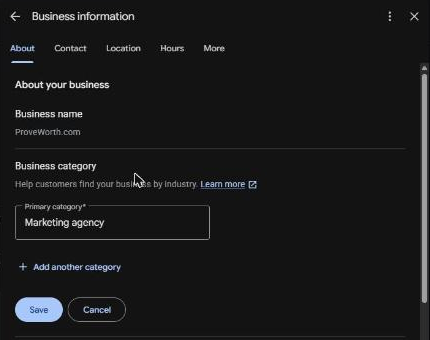
| 7. Primary category | It names what you are, not the keyword you'd like to rank for. | Anyone, then you |
| 8. Additional categories | Each one is a real service, and there are as few as possible. Mark what you can't see Unknown. | Anyone, then you |
| 9. Services | The listed services match what you actually sell. Note wrong items and missing big ones. | Anyone, then you |
| 10. Service areas | Your areas match where the trucks really go. Google allows up to 20, set by city or postal code. | Anyone, then you |
| 11. Hours | Regular and holiday hours match when you really work, including seasonal closures. | Anyone, then you |
| 12. Attributes and description | Each fact shown is true and helps a customer choose. Skip fields that don't fit your business. | Anyone, then you |
Customer contact (checks 13 to 18)
| Check | What good looks like | Who can check |
|---|---|---|
| 13. Phone | Call the listed number from your own phone. It should reach you, not a dead line or another business. | Test call |
| 14. Website link | Tap it from the profile. It should land on the right live page. | Anyone |
| 15. Quote or booking button | Follow it from the profile and note anything broken or confusing. Stop before you send a real request. | Anyone |
| 16. Form delivery | Send one entry labeled TEST. It should reach the right inbox with the details you need. | Test, your inbox |
| 17. Works on a phone | Open your site on a phone and use it one-handed. Menus, text and buttons should all work. | Anyone |
| 18. Matching details | Name, phone and links agree between the profile and the website. | Anyone |
Reviews and trust (checks 19 to 24)
| Check | What good looks like | Who can check |
|---|---|---|
| 19. Review snapshot | Write down your review count, rating and today's date. It's a baseline to compare against later. | Anyone |
| 20. What customers repeat | Read your latest 20 reviews. Note what comes up more than once about price, timing or crews. | Anyone |
| 21. Asking for reviews | Every finished job gets a review request, without someone having to remember. | You |
| 22. What the request says | No discount or freebie for a review, and every customer gets asked, not only the happy ones. Google prohibits both. | You |
| 23. Who gets asked | No duplicate sends, opt-outs respected, failed messages caught. | You |
| 24. Your replies | Accurate, useful and free of private details. Length and keywords don't matter here. | Anyone, then you |
Photos and proof (checks 25 to 30)
| Check | What good looks like | Who can check |
|---|---|---|
| 25. Real photos | Your photos show your real crew, trucks and work. | Anyone |
| 26. Permission | You have the right to show every customer, employee and job site in your photos. | You |
| 27. Out-of-date photos | Flag any photo of something you no longer do. Old on its own is fine. | Anyone, then you |
| 28. Cover photo | Note which photo shows first. Google may not show your chosen cover first. | Anyone |
| 29. Extra features | Booking links, products and similar features are set up only where they apply to you. | Anyone, then you |
| 30. Proof on your site | Every customer story or result on your website is true, and the customer agreed to it. | You |
Website and measurement (checks 31 to 36)
| Check | What good looks like | Who can check |
|---|---|---|
| 31. Pages in Google | Check in Search Console that your main pages are indexed. A quick Google search can't settle it. | Search Console |
| 32. Service pages | Each main service has a page that says what's included, where you go and how to book. | Anyone, then you |
| 33. Town pages | Each town page says something true about working there. No pages for towns you don't serve. | Anyone, then you |
| 34. Duplicate pages | List pages that answer the same question. Check their visits before you merge or delete one. | You, with analytics |
| 35. Broken pages | The pages that bring in customers load, and their forms work. | Test |
| 36. What you count | Define calls, website leads, booked jobs and paid jobs separately. Google counts taps on the call button, not answered calls. | You |
Rankings, competitors and upkeep (checks 37 to 42)
| Check | What good looks like | Who can check |
|---|---|---|
| 37. Rank-tracker setup | If you use a rank-grid tool, write down the search term, center point, grid size and date of each scan. | Rank tool |
| 38. Before and after | Run the after scan with the same search term and settings as the before scan. | Rank tool |
| 39. Three competitors | Pick three real peers in your service and area. Write down why each one compares. | Anyone |
| 40. Other listings | Your important directory listings are accurate. Skip any target number of listings. | Anyone, then you |
| 41. Spammy links | Leave links alone unless spammy ones caused a manual action or are likely to. That's when Google says to disavow. | Search Console |
| 42. Who changes what | One person approves profile changes, keeps a short log and retests each fix. | You |
How do I compare my profile with three competitors?
Pick three businesses that offer close to the same services in the same area. If one of them is a national brand and you run one truck, write that down next to its name.
For you and each of the three, capture:
- The exact profile and website, the date, the business model and why the peer is comparable.
- The categories anyone can see. Mark anything you can't see Unknown.
- The review count and rating, plus a defined sample of what customers mention.
- How clear the services and coverage are, how the contact path feels, and what original proof they show.
- The same search and grid settings, if you use a rank tool.
- One useful idea to look into, and one tactic you won't copy without evidence.
The public listing has limits. You can't read a competitor's revenue, ownership, conversion rate, true listing age, verification status or policy compliance from it. A visible rule violation isn't permission to imitate it.
Google also says there's no way to request or pay for a better local ranking. It says local results are mainly based on relevance, distance and popularity, so use the comparison to find gaps you can close.
How do I test the phone and quote form without sending real leads?
Call your listed number from a personal mobile and confirm it rings the right place. Then submit one form entry labeled TEST, and confirm it arrives, reaches the right person and carries the right fields.
Tell whoever answers it's a test. Don't test a competitor's number or form, and don't enter customer data you don't need.
What do I write down for each problem?
Write one record per Fix. That's what lets you retest later and prove the fix held.
- Check and status. The check number, its title, Fix, and Urgent, Next or Later.
- What you saw. Quote the field narrowly.
- Evidence. The exact URL and the date you checked.
- Why it matters. What it costs a customer who tries to reach you.
- The fix. The smallest change that solves it.
- Who approves it, and the old value. Keep a copy so you can reverse the change.
- Retest. How you'll prove it works, and the result.
- What you're still unsure about.
Google reviews edits before they go live. Edits usually take up to 10 minutes to review, but sometimes it can take up to 30 days. The statuses are Accepted, Not approved and Pending. Don't re-edit a Pending change. Wait for the answer, then retest.
Some changes can send you back through verification. Moving to a new address does, and a category change might. The verification guide explains what that looks like.
Here's one example finding, made up for illustration. Check 15, Quote or booking button, status Fix, Urgent if it's confirmed on your main lead path. What you saw: the quote button returns an error on the phone you tested. Evidence: a dated screenshot and the exact URL. The fix: correct the button's destination, then send a labeled test and confirm it arrives. Don't estimate lost dollars without real traffic and conversion numbers.
What goes in the one-page report?
Copy the template below into a document and fill it in. Write it for yourself, or for whoever helps you with your profile. Never put passwords, API keys, customer contact details or reviewers' private identities in it.
Header (one per business)
- Business: ________.
- Person who approves facts: ________.
- Who ran the audit and the date: ________.
- Website and exact profile URL: ________.
- Services and area: ________.
- Model: storefront, service-area or both: ________.
- Access used: public, profile editor, Search Console, analytics, other: ________.
- Tests I'm allowed to run: ________.
- Last audit, if any: ________.
What is already working
List two or three strengths you can back up. Don't invent problems to fill the page.
My three priorities
- Problem and evidence: [what you saw]. Fix: [one bounded action]. Why it matters: [what a customer runs into]. Proof it's done: [your retest]. Needs: [who or what you're waiting on].
- Same format. Fewer than three is fine when the evidence supports fewer.
- Same format.
Questions I couldn't settle
List each Unknown, the evidence you're missing, and whether it could change a priority.
What I'll measure
Pick a few measures, define each one and write down today's number. Keep a click on the call button separate from an answered call, a qualified lead, a booking and a paid job.
Google counts calls as the number of times a customer clicked the call button. It also says chat and call history are no longer available in your Business Profile. Don't expect either to give you an answered-call count.
What do I do next?
Pick your three fixes, assign a date to each, and book a retest. If the audit turns up a blocked profile, read what to do when it's suspended. For categories and service areas, see the best categories to choose and how service-area businesses work on Google. Photo checks pair with photo size guidance, and posting habits with how often to post.
Checks 19 to 24 come down to reviews. On ProveWorth, each review publishes on your own page, and a request goes to each customer you add after a job. Get your free page, or see how it works.
Sources
- Google Business Profile Help, improve your local ranking
- Google Business Profile Help, guidelines for representing your business
- Google Business Profile Help, eligibility and ownership guidelines
- Google Business Profile Help, choose your categories
- Google Business Profile Help, set your service areas
- Google Business Profile Help, review guidance
- Google Business Profile Help, photos and videos
- Google Business Profile Help, edit your business information
- Google Maps contribution policy
- Google Business Profile Help, edit statuses
- Google Business Profile Help, performance metric definitions
- Google Business Profile Help, chat and call history changes
- Google Search Console Help, disavow links

Founder, ProveWorth
Built ProveWorth - the trust layer for human communities. We surface real reviews from real members across hundreds of communities, so you can find the one that fits and join with confidence.
Frequently Asked Questions
How long does a Google Business Profile audit take?
The triage takes about fifteen minutes. The full 42-check list takes longer and depends on how much access you have. Stop the quick pass if identity, eligibility or access is unclear.
What should I check first on my Google Business Profile?
Confirm it's the right business, then check that your phone number and website work. Compare the facts to reality, see whether customers can judge you, and list your top three fixes.
Should my audit end in a score?
No. Count your results as Pass, Fix, Unknown and N/A separately. A single broken quote button can outweigh twenty passing cosmetic checks.
How do I compare my profile with competitors?
Pick three businesses that offer similar services in the same area. Record each one's profile, categories, reviews and contact experience, and why you chose it.
Do I need to be signed in to audit a profile?
Not for the first pass. Public checks cover most of the triage. Checks on ownership, categories, review requests and Search Console need the owner's access.
ProveWorth
Reviews on your own page
Your business gets a free page and your customers write what goes on it. We read each review, publish it, and email you so you can reply.
Get your free pageSee the websites we buildRelated Guides
How to track whether AI recommends your business
Ask three assistants the question your customer asks, once a month, and write down what they say. Tools come second.
Nextdoor for a local service business: the free page, the paid options and how to tell them apart
The Business Page is free. Paid promotion is separate, and Nextdoor prints no price for it. Here is how to set up the page and track each result.
Can you delete a Google review?
Who can delete one, what you can report instead, and the one shortcut that gets a business in trouble.